
To optimize your handlebar cockpit setup, start by selecting ergonomic grips that provide good traction and reduce hand fatigue. Position brake and gear levers so they’re easy to reach from your riding stance, adjusting angles as needed for comfort. Place displays within your line of sight to keep details accessible without distraction, and mount accessories securely to prevent clutter. Fine-tuning these elements guarantees better control and comfort—keep exploring to discover more tips for a perfect cockpit setup.
Key Takeaways
- Choose ergonomic grips that provide comfort and traction, especially in wet conditions, to reduce hand fatigue.
- Position brake and gear levers for effortless reach, adjusting angles to match your hand size and riding style.
- Mount displays and accessories within easy line of sight and reach, avoiding clutter and interference with grips or levers.
- Regularly reassess and fine-tune handlebar setup after upgrades or changes in riding habits for optimal comfort and control.
- Use data analysis to optimize handlebar positioning, ensuring ergonomic efficiency and sustained riding performance.

Setting up your handlebar cockpit correctly is vital for comfort, control, and performance on your bike. One of the first steps is achieving proper ergonomic positioning. When your handlebars are set at the right height and reach, your hands, wrists, and shoulders stay relaxed, reducing fatigue during long rides. Adjust your stem and handlebars so that your elbows remain slightly bent, and your wrists stay in a neutral position. This not only improves comfort but also enhances your handling, allowing you to react quickly and confidently. Proper ergonomic positioning minimizes strain and helps you maintain focus, especially over extended distances or challenging terrain. Take the time to experiment with different stem lengths or handlebar angles until you find a setup that feels natural and effortless. Data-driven strategies can also help you optimize your setup by analyzing your riding data for comfort and efficiency.
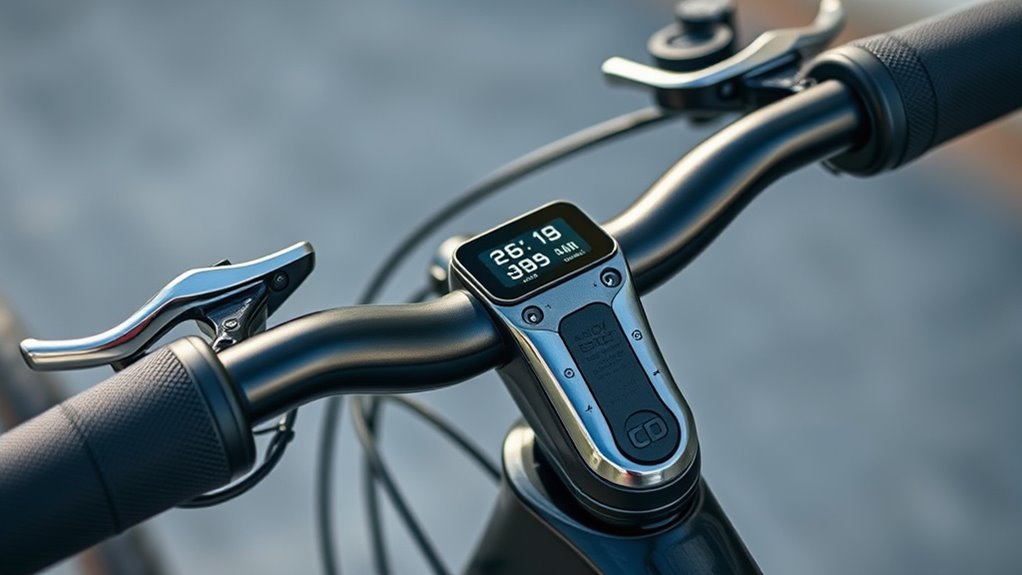
Once your riding position is comfortable, focus on accessory mounting. Your handlebar cockpit isn’t just for control; it’s also a platform for essential accessories like lights, GPS units, cameras, or bike computers. When mounting accessories, consider both accessibility and weight distribution. Position your devices where they’re easy to view without disrupting your grip or reach. For instance, a GPS or cycling computer should be mounted directly in your line of sight, so you don’t need to tilt your head or shift your hands considerably. Use sturdy mounts that clamp securely without damaging your handlebars. Keep in mind that added accessories can affect your handlebar’s balance, so distribute weight evenly to maintain control. If you’re attaching multiple devices, plan their placement to avoid clutter and ensure that they don’t interfere with levers or grips.
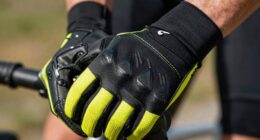
Your grips and levers should also be adjusted for ideal comfort and function. Ensure your grips are comfortable and provide enough traction, especially in wet conditions. Ergonomic grips can reduce hand fatigue and improve overall control. When it comes to brake and gear levers, they need to be positioned so you can reach them effortlessly from your riding stance. Adjust the angle and position of levers to match your hand size and riding style. Proper lever placement allows for quick, confident braking and shifting without straining your fingers or compromising your grip. Remember, a well-set-up handlebar cockpit isn’t static; revisit and fine-tune your setup periodically, especially after upgrades or changes to your riding habits.
Frequently Asked Questions
How Do I Customize My Handlebar Grip Positions for Comfort?
To customize your handlebar grip positions for comfort, start by adjusting the handlebar height to suit your riding posture. Then, experiment with ergonomic grip positioning, moving the grips slightly forward or backward until you find a natural, relaxed hand position. Consider using handlebar extensions or different grip angles if needed. Test your setup on a short ride, and tweak until your hands feel comfortable and reduce strain.
What Are the Best Materials for Durable Bike Levers?
You should consider aluminum or carbon fiber for durable bike levers. Aluminum offers excellent material comparison, providing strength, lightweight feel, and resistance to corrosion, making it a popular choice. Carbon fiber, on the other hand, delivers even lighter weight and high stiffness, enhancing leverage benefits and rider control. Both materials excel in durability, but your choice depends on how much weight you want to shed versus cost and impact resistance.
How Can I Improve Visibility of Digital Displays During Daytime?
Ever struggle to see your digital display in bright sunlight? You can improve visibility by using effective lighting solutions like anti-glare screens or small LED lights. Adjust your display placement to face your line of sight directly, reducing glare and reflections. Consider using a matte finish screen or brighter backlighting, and position it where natural and artificial light won’t wash it out. These tweaks make checking your data easier on the go.
Are There Ergonomic Options for Reducing Hand Fatigue?
To reduce hand fatigue, consider ergonomic grip designs that fit your hand comfortably and provide better support. Look for grips with cushioned or textured surfaces to minimize pressure during long rides. Hand fatigue solutions also include adjusting lever positions for easier access and reducing grip tension. These modifications help you ride more comfortably, prevent strain, and improve overall control, making your cycling experience more enjoyable and less tiring.
How Do I Prevent Cable Clutter on My Handlebar Setup?
Did you know that poor cable management can increase your handlebar setup’s weight by up to 15%? To prevent cable clutter, use cable ties, clips, or sleeves to secure cables neatly along your handlebars. Incorporate handlebar accessories like cable guides or mounts to keep everything organized. Regularly check and re-secure cables during rides or maintenance to maintain a clean, efficient setup, reducing interference and enhancing your riding experience.
Conclusion
With a well-wired, comfortable, and customizable cockpit, you create a confident, controlled cycling experience. By balancing grips, levers, and displays, you build a beautiful blend of balance, bravery, and bike-brand brilliance. Take the time to tweak and tune your setup until it feels just right—your ride will run smoother, safer, and more satisfying. Remember, a perfectly positioned cockpit not only improves your ride but also ignites your passion for pedaling with purpose and pride.