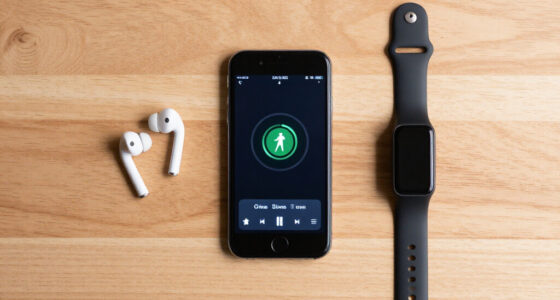
To keep your phone accessible without it becoming a distraction, set specific times for checking messages and social media, and turn off non-essential notifications. Organize your apps to prioritize important tools, and use features like “Do Not Disturb” during focus periods. Practice mindful habits and schedule regular breaks to disconnect. By customizing your device and managing usage consciously, you create a balanced digital environment that supports your goals—discover more ways to stay engaged without losing focus.

Get bike and ride gear delivered free with Prime
- Fast, free delivery on millions of items
- Prime Video, Amazon Music and more included
- Member-only deals all year
Key Takeaways
- Organize apps by priority and hide non-essential ones to minimize unnecessary distractions.
- Set specific times for checking notifications, avoiding constant reactive engagement.
- Use “Do Not Disturb” mode during work or relaxation to maintain accessibility without interruptions.
- Customize your device to balance ease of access with control over distracting features.
- Practice mindful usage and take regular breaks to foster a healthy, sustainable relationship with your phone.
In today’s digital world, it’s easy to feel tethered to your phone, yet constant notifications can quickly turn it into a distraction. You want to stay connected, but you also need to focus on what matters. Finding the right balance involves practicing mindful usage and embracing the idea of a digital detox when necessary. Instead of completely disconnecting, you can develop habits that allow you to keep your phone accessible without letting it take over your day.
Start by evaluating how often you reach for your device and what triggers those habits. Is it boredom, stress, or just habit? Being aware of these patterns helps you regain control. You might find that turning off non-essential notifications reduces the constant pinging, allowing you to check your phone intentionally rather than reactively. This small change can make a big difference in reducing distractions while still keeping your device handy for important messages. Recognizing your digital footprint can also motivate you to be more mindful about what data you share and how often you engage online.
Identify triggers like boredom or stress to control your phone use and reduce unnecessary notifications.
Implementing intentional use involves setting boundaries around your phone. For example, designate specific times to check social media or emails, rather than responding to every alert as it arrives. This approach encourages mindful usage, where you’re aware of why and when you’re engaging with your device. It’s about making conscious choices instead of impulsive reactions. When you’re mindful of your habits, you’re less likely to get caught in endless scrolling or multitasking that hampers productivity.
A digital detox doesn’t mean abandoning your phone entirely; it’s about creating space for focus and presence. You can schedule short breaks during the day to disconnect temporarily, giving yourself time to recharge mentally. During these periods, avoid checking your phone unless absolutely necessary. Over time, these small breaks help break the cycle of compulsive usage and foster a healthier relationship with technology. Recognizing the importance of digital well-being can motivate you to establish healthier habits. Additionally, understanding how biodiversity is impacted by our digital consumption can inspire more mindful usage aligned with sustainable living. Incorporating knowledge about digital footprints can also encourage more responsible device use and data management. Moreover, being aware of the impact of technology on mental health can further reinforce your commitment to mindful usage.
Furthermore, consider customizing your device to support your goals. Use features like “Do Not Disturb” mode during work or relaxation periods, and organize your apps so that essential ones are easily accessible while less important ones are out of sight. This way, your phone remains accessible for useful purposes but doesn’t distract you unnecessarily.
Ultimately, maintaining accessibility without distraction hinges on your ability to be intentional. By practicing mindful usage and taking periodic digital detoxes, you build a sustainable relationship with your device — one that serves you, not the other way around. You’ll find that with a conscious approach, your phone becomes a tool for connection and productivity, rather than a source of constant interruption.
Popular right now

Dyson Car+Boat Cordless Handheld Vacuum

KitchenAid Artisan Series 5-Quart Tilt-Head Stand Mixer, Dried Rose (KSM150PS)

Sony WH-1000XM6 Wireless Noise-Canceling Over-Ear Headphones, Blue, Bundle
As an affiliate, we earn on qualifying purchases.
Frequently Asked Questions
What Are Some Effective Phone Accessibility Tools for Daily Use?
You can use voice commands to quickly access apps, messages, or make calls without steering manually. Accessibility settings, like magnification or font adjustments, help customize your device for easier use. These tools keep your phone accessible daily, allowing you to stay productive or connected while reducing distractions. Activating and familiarizing yourself with these features guarantees your device supports your needs without becoming a constant interruption.
How Can I Customize Notifications to Reduce Distractions?
You can customize notifications by prioritizing important alerts and silencing less urgent ones. Use notification prioritization settings to highlight essential messages, ensuring you don’t miss critical updates. Additionally, tailor silent mode customization to mute notifications during focused times or at night, reducing distractions. This way, your phone remains accessible, but only the most important alerts catch your attention, helping you stay productive without constant interruptions.
Are There Specific Apps That Help Manage Screen Time?
Think you’re strong enough to resist your phone’s siren call? Apps like Screen Time and Digital Wellbeing have your back, offering app timers and usage alerts to keep you honest. They nudge you when you’ve hit your limit, making sure you don’t drown in endless scrolling. Use these tools to reclaim your focus, so your phone becomes a helpful tool, not an addictive distraction.
How Do I Set Boundaries for Phone Usage at Work or School?
To set boundaries for phone usage at work or school, prioritize your work-life balance by turning off non-essential notifications and using apps that block distracting sites during designated hours. Schedule regular digital detox breaks to recharge mentally. Communicate your boundaries clearly to colleagues or classmates, and keep your phone out of sight when focusing. This approach helps you stay productive while maintaining a healthy relationship with your device.
What Are Best Practices for Balancing Phone Accessibility and Focus?
Remember, “a little goes a long way.” To balance phone accessibility and focus, practice mindful usage by setting designated times for checking your device. Incorporate a digital detox by turning off non-urgent notifications and keeping your phone out of sight during work or study. These habits help you stay connected without distraction, ensuring your phone remains a helpful tool rather than a hindrance.
Conclusion
By managing your notifications and setting boundaries, you can keep your phone accessible without letting it distract you. Remember, studies show that the average person checks their phone 96 times a day—that’s once every 10 minutes! Staying intentional with your usage helps you stay connected without losing focus. So, take control, set limits, and enjoy the benefits of a balanced digital life that keeps your phone handy but not overwhelming.