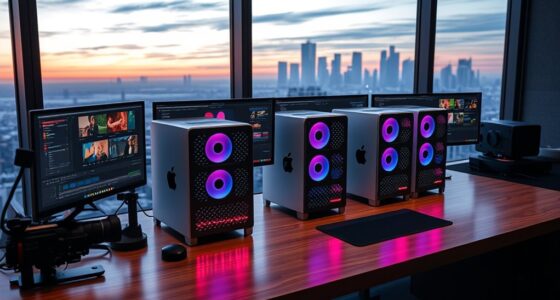
Choosing the right iMac for classroom labs in 2026 means balancing performance, budget, and future-proofing. The Apple 2024 iMac with M4 Chip (24-inch, Blue) offers a vibrant display and seamless Apple ecosystem integration, making it ideal for multimedia-heavy tasks. Meanwhile, the Apple 2024 iMac with M4 Chip (24-inch, Silver) provides more memory and ports, better suited for demanding educational environments. Both are premium, but their tradeoffs — like storage limits and price — shape their roles in a classroom setting.

Get bike and ride gear delivered free with Prime
- Fast, free delivery on millions of items
- Prime Video, Amazon Music and more included
- Member-only deals all year
Key Takeaways
- The Blue model is best for colorful, visually engaging environments, thanks to its vibrant design and display.
- The Silver model offers more RAM and ports, making it more adaptable for multi-user or software-intensive tasks.
- Both models have limited storage out of the box, which can be a concern for large files or extensive software libraries.
- Performance differences mainly stem from CPU and RAM, influencing multitasking and heavy applications.
- Price remains a key factor; the Silver model’s higher specs come with a significant premium, which may impact school budgets.
| Apple 2024 iMac All-in-One Desktop Computer with M4 Chip, 24-inch Retina Display, 16GB Memory, 256GB SSD, Blue |  | Best Overall for Visual and Multimedia Tasks | Processor: M4 chip with 8-core CPU and 8-core GPU | Display: 24-inch Retina, 4.5K resolution | Memory: 16GB Unified Memory | VIEW ON AMAZON | See Our Full Breakdown |
| Apple 2024 iMac All-in-One Desktop Computer with M4 Chip, 24-inch Retina Display, 24GB Memory, 512GB SSD, Silver |  | Best for Power Users and Expandability | Processor: M4 chip with 10-core CPU and GPU | Display: 24-inch Retina, 4.5K resolution | Memory: 24GB Unified Memory | VIEW ON AMAZON | See Our Full Breakdown |
| imac for classroom lab | Processor | Display | Memory | Storage |
|---|---|---|---|---|
| Apple 2024 iMac All-in-One Des | M4 chip with 8-core CPU and 8-core GPU | 24-inch Retina, 4.5K resolution | 16GB Unified Memory | 256GB SSD |
| Apple 2024 iMac All-in-One Des | M4 chip with 10-core CPU and GPU | 24-inch Retina, 4.5K resolution | 24GB Unified Memory | 512GB SSD |
More Details on Our Top Picks
Apple 2024 iMac All-in-One Desktop Computer with M4 Chip, 24-inch Retina Display, 16GB Memory, 256GB SSD, Blue
This model stands out for its vibrant 24-inch Retina display and the powerful M4 chip, which provides fast performance for multimedia-heavy classroom activities. Compared with the Silver model, it offers less RAM and storage, but the eye-catching design and seamless Apple ecosystem make it ideal for creative projects. This pick suits environments prioritizing visual quality and ease of use, though its limited storage could be a concern for large media files or extensive software libraries. Its support for only two external displays might also limit expandability in more complex setups.
Pros:- Bright, vivid Retina display enhances visual learning
- Powerful M4 chip ensures smooth multitasking
- Colorful, stylish design fits well in modern classrooms
- Seamless integration with Apple ecosystem
Cons:- Limited storage capacity for media-heavy tasks
- Supports only two external displays
- Higher price point for the specifications
Best for: Classrooms focused on creative work, digital art, or multimedia projects
Not ideal for: Labs requiring extensive storage or multiple external devices
- Processor:M4 chip with 8-core CPU and 8-core GPU
- Display:24-inch Retina, 4.5K resolution
- Memory:16GB Unified Memory
- Storage:256GB SSD
- Color:Blue
- Connectivity:Wi-Fi 6E, Bluetooth 5.3, Thunderbolt 4, supports 2 external 6K displays
Our verdict“This iMac excels in visual quality and performance for multimedia tasks but may fall short for storage-heavy or expansive lab setups.”
Apple 2024 iMac All-in-One Desktop Computer with M4 Chip, 24-inch Retina Display, 24GB Memory, 512GB SSD, Silver
This model offers a more robust configuration with a 10-core CPU and GPU, along with 24GB of RAM, making it better suited for multitasking, software development, or data-heavy tasks in a classroom. Its larger storage capacity and support for up to four Thunderbolt 4 ports provide increased flexibility for connecting multiple peripherals and external drives. Compared with the Blue model, it is more expensive but offers significantly better performance for demanding lab environments. The sleek silver design makes it adaptable to various classroom aesthetics, but the higher cost could be a barrier for some schools or programs.
Pros:- Powerful 10-core CPU and GPU for demanding applications
- More RAM (24GB) supports heavy multitasking
- Supports up to four Thunderbolt 4 ports for expandability
- Larger storage capacity (512GB SSD)
Cons:- Premium price may limit widespread adoption
- Limited storage options out of the box, no upgrade path noted
- No included peripherals or accessories mentioned
Best for: Advanced classrooms, programming labs, or environments with multiple peripherals
Not ideal for: Budget-conscious settings or basic multimedia tasks
- Processor:M4 chip with 10-core CPU and GPU
- Display:24-inch Retina, 4.5K resolution
- Memory:24GB Unified Memory
- Storage:512GB SSD
- Color:Silver
- Ports:Up to four Thunderbolt 4 ports
- Connectivity:Wi-Fi 6E, Bluetooth 5.3
Our verdict“This iMac is a strong choice for more advanced, multi-user, or software-heavy classroom labs where expandability and power are priorities.”

How We Picked
Our selection process focused on models specifically designed for educational environments, emphasizing performance, expandability, display quality, and value. We compared specs like CPU power, memory, storage options, and connectivity features to assess how each iMac handles typical classroom tasks such as multimedia, productivity, and multitasking. Price-to-performance ratios and future-proofing considerations also played a crucial role in ranking these options.
| imac for classroom lab | Processor | Color | Connectivity |
|---|---|---|---|
| Apple 2024 iMac All-in-One Des | M4 chip with 8-core CPU and 8-core GPU | Blue | Wi-Fi 6E, Bluetooth 5.3, Thunderbolt 4, supports 2 external 6K displays |
| Apple 2024 iMac All-in-One Des | M4 chip with 10-core CPU and GPU | Silver | Wi-Fi 6E, Bluetooth 5.3 |
Factors to Consider When Choosing Imac For Classroom Labs
Selecting the right iMac for a classroom lab involves understanding your specific needs around performance, expandability, and budget. Consider how much storage, RAM, and connectivity your environment requires, as well as whether visual quality or raw power is more critical. The following sections highlight key factors to evaluate when choosing between these models.Performance Needs
If your classroom tasks involve multimedia editing, design work, or running resource-intensive apps, prioritize models with higher CPU and RAM. The Silver model’s 10-core CPU and 24GB RAM provide a clear advantage for heavy multitasking, while the Blue version offers enough power for standard educational software and media use. Matching performance to your workload helps avoid bottlenecks and ensures smooth operation during lessons.
Expandability and Ports
Classroom labs often need multiple peripherals—external drives, projectors, or additional displays. The Silver model’s support for up to four Thunderbolt 4 ports makes it more flexible, whereas the Blue is limited to two. Consider how many external devices you’ll need to connect now and in the future to prevent hardware constraints from hampering your workflow.
Display and Visuals
Both options feature the same 24-inch Retina display, which offers excellent color accuracy and clarity, beneficial for creative tasks. If visual quality is a priority—such as digital art or media projects—the vibrant display of the Blue model enhances the experience. For more general use, both are equally capable, but the Blue’s color options may also add a touch of personality to the classroom.
Budget Considerations
The Silver model commands a higher price, reflecting its enhanced specs and expandability. For schools or programs with tighter budgets, the Blue model provides a compelling balance of performance and affordability, especially if storage needs are modest. Weighing the long-term benefits against initial costs will guide the best investment for your lab environment.
Frequently Asked Questions
Can these iMacs handle multiple external displays?
Yes, both models support multiple external displays, but with limits. The Blue model supports two 6K displays, making it suitable for most multimedia classrooms, while the Silver model supports up to four Thunderbolt 4 ports, allowing for more external displays and peripherals. This makes the Silver better suited for complex setups requiring extensive connectivity.
Is storage a concern with these models for classroom use?
Limited storage capacity (256GB or 512GB SSD) can be a concern if your classroom needs to store large media files or software locally. While external drives can supplement, it’s important to plan for future storage needs. The Silver model’s 512GB SSD is more accommodating than the Blue’s 256GB, making it preferable for more data-heavy environments.
How does the performance difference impact classroom activities?
The Silver model’s 10-core CPU and 24GB RAM provide a noticeable advantage for multitasking, programming, or running demanding applications. The Blue’s 8-core CPU and 16GB RAM are sufficient for standard tasks but may experience lag during intensive workloads. Choosing based on expected software and multitasking levels ensures smooth educational experiences.
Are these iMacs suitable for students or only teachers?
Both models are versatile enough for student use, especially in STEM, design, or multimedia courses. However, the Silver model’s power and expandability make it better suited for advanced students or labs that require heavy software or multiple user setups. The Blue model offers a more straightforward, cost-effective option for general classroom environments.
What about future-proofing these iMacs?
The Silver model’s higher specs and additional ports provide better future-proofing, accommodating evolving software and peripheral needs. The Blue model, while capable now, may require upgrades or external drives sooner if storage or performance demands increase. Considering long-term needs can help determine the best investment for sustained classroom relevance.
Conclusion
For classrooms emphasizing creative visual projects or multimedia, the Blue model offers a vibrant display and solid performance at a more accessible price point. Schools needing robust multitasking, expandability, and future-proofing should lean toward the Silver model, despite its higher cost. Budget constraints aside, matching the iMac’s capabilities to your lab’s specific use cases remains key—whether for basic digital tasks or advanced software environments.